
Voice memo to tasks
Record one voice memo. Get every task out of it.
With ThoughtDump, you record a voice memo the way you’d leave yourself a message, and it finds the separate tasks, appointments, and ideas inside it. Later, instead of replaying the memo to work out what you said, you open a sorted list.
No card required. Cancel anytime.
One memo, several things to do
You say: “Order the replacement hinge for the back gate. Call Dana back about the estimate before Friday. The kitchen job needs another box of tile. Site walk with the inspector Tuesday at three. And maybe offer gutter cleaning as an add-on.”
Illustrative example. Results depend on what you say. Uncertain dates, meaning, or Project choices go to Needs Review.
For thoughts that show up while you’re busy
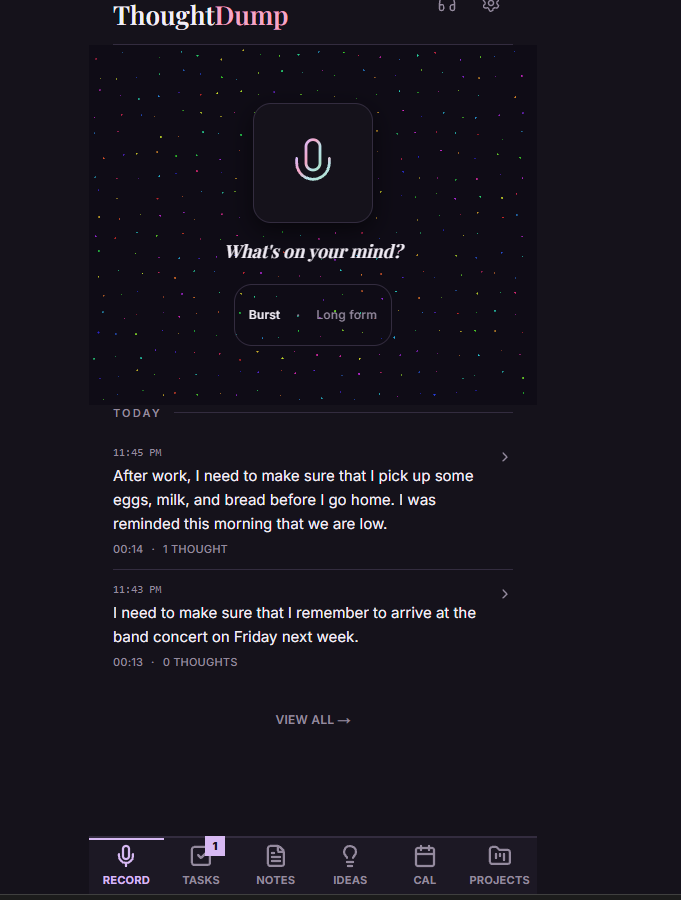
Errands and ideas tend to arrive between jobs, on a walk, or on the way out the door, when stopping to type isn’t practical. Open ThoughtDump on your phone, tap record, and say it. Burst recording stops by itself after 30 seconds; Long form keeps going until you stop it. Start recording only when it’s safe to do so.
Compared with replaying memos
In a plain voice memo app, every memo is a recording you have to listen to again, and the to-dos inside it stay locked in audio until you copy them out. ThoughtDump transcribes each memo and separates it into items you can check off, schedule, or file, each one linked back to the recording it came from. See the full voice recorder comparison.
Check it before you rely on it
Spoken dates and names are easy to mishear. Items ThoughtDump is unsure about go to Needs Review, where you confirm, edit, or discard them. Correct a date or wording by typing or by speaking a short correction; the original recording and transcript stay unchanged.
The details, in the Help Center
Try it with your own thoughts
ThoughtDump is free for 7 days with no card required. If it fits, continue for $9.99/month or $89/year.