
Exporting
Exporting your data
Export existing content with or without current paid/trial access. Choose the screen that holds what you want to take with you.
Dump Review
Use clipboard copy or plain-text download for Items and the source transcript.
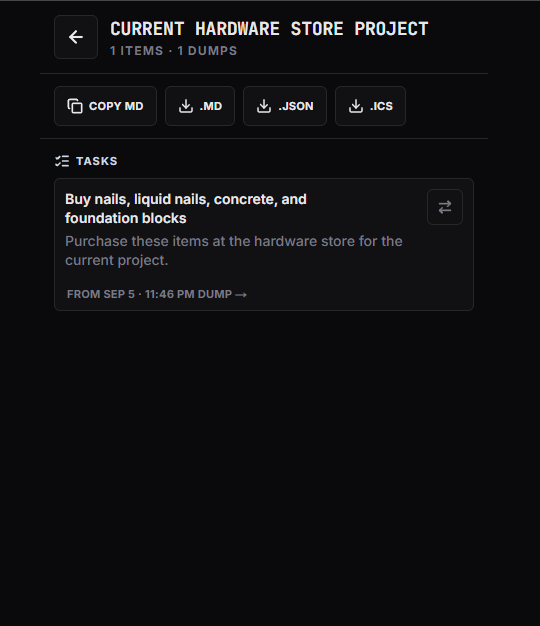
Project detail
Use Copy Markdown or download Markdown, JSON, or ICS. Project ICS contains eligible dated content. Markdown works well with Obsidian and other plain-text tools; this is portability, not a native Obsidian or Notion integration.
Calendar
Select eligible Events for Google/Outlook handoffs, Apple/generic ICS, Download .ics, or Copy event details. A single Google/Outlook Event opens a prefilled handoff; multiple Events use ICS. Review uncertain Items and resolve missing dates before exporting. Date-only Events export as all-day Events.
Keep or remove after export
Choose to keep Events in ThoughtDump or remove them after export. Removal has a separate confirmation; save a backup ICS and check the destination before confirming. An Exported marker does not verify destination acceptance. Handoffs are not sync, and independent exported copies are not changed by later ThoughtDump edits or deletion.